

Point Cloud Workflow
Complete guide to point cloud uploads, LAS/LAZ sources, Potree conversion, QA, metadata, storage, activity, corrections, and 3D viewer review.
Purpose
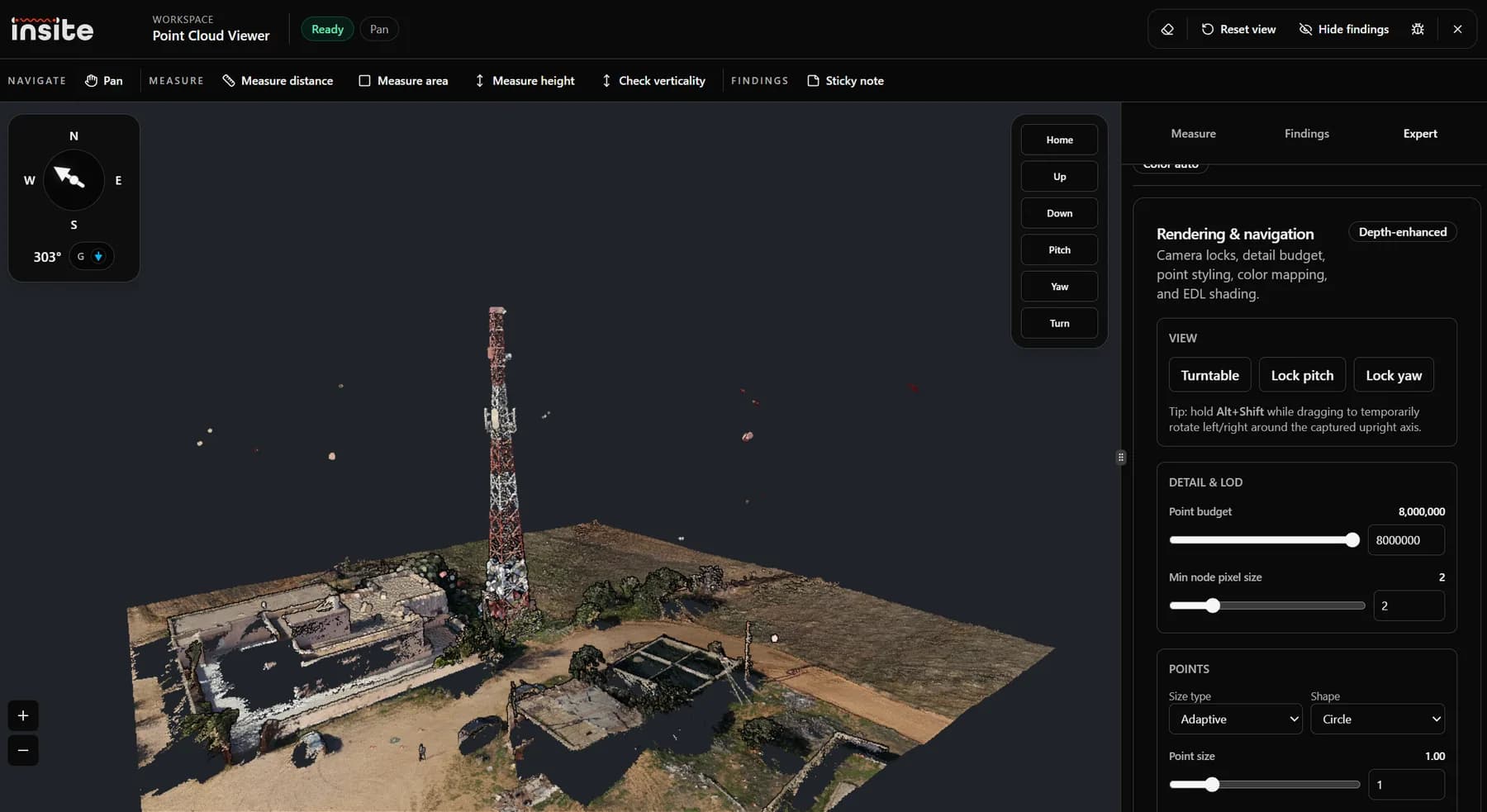
The Point Cloud workflow stores and reviews 3D point cloud evidence for a mission. It accepts a primary LAS, LAZ, or ZIP source, tracks upload and conversion state, generates Potree-compatible outputs, exposes dataset facts, and opens a 3D browser viewer.
Inputs
- LAS or LAZ point cloud files.
- ZIP packages containing a valid point cloud where supported.
- Coordinate system or EPSG metadata when available.
- Color, intensity, classification, and bounding-box metadata where present.
Processing Pipeline
The workflow verifies the source, records storage inventory, converts to Potree format, exposes metadata, tracks QA gates, and provides retry and recovery actions when processing fails.
Dataset Facts
- Point count tells reviewers how dense the source is.
- Bounding box and diagonal show the spatial extent of the cloud.
- SRS and EPSG identify the coordinate reference system.
- Color and intensity availability determine useful rendering modes.
- Rewrite reasons explain whether coordinate transforms or orientation corrections were applied.
- Orientation facts explain how the scene should stand or rotate in the viewer.
Outputs
- Potree metadata and hierarchy for browser streaming.
- Viewer-ready point cloud source.
- Measurement findings and note findings anchored in 3D.
- Optional correction outputs for line members, sector panels, and dish patches.
- Storage inventory and activity feed for auditing.
Related Articles
Point Cloud Viewer Tools
Mini articles for point cloud viewer tools: orbit, distance, area, height, verticality, notes, fix tools, rendering, color, and EDL.
Point Cloud Engineering Concepts
Engineering background for point clouds, LAS/LAZ, Potree, level-of-detail, color/intensity, classification, verticality, and corrections.
Troubleshooting Uploads And Processing
Recover from failed uploads, finalize errors, stale uploads, processing failures, missing outputs, pair conflicts, and viewer loading issues.